Best Trail Camera App for iPhone & Android
It can be incredibly frustrating to invest in trail cameras, eagerly awaiting intel from your hunting spot, only to find that managing hundreds or thousands of photos is a chaotic mess on tiny camera screens or cumbersome SD card downloads. The right trail camera app for your iPhone or Android device can revolutionize your scouting, turning raw data into actionable insights and saving you countless hours in the field. This guide will walk you through the essential features and top contenders to help you choose the best app for your Texas hunting adventures.
Why a Dedicated Trail Camera App is a Game Changer for Texas Hunters
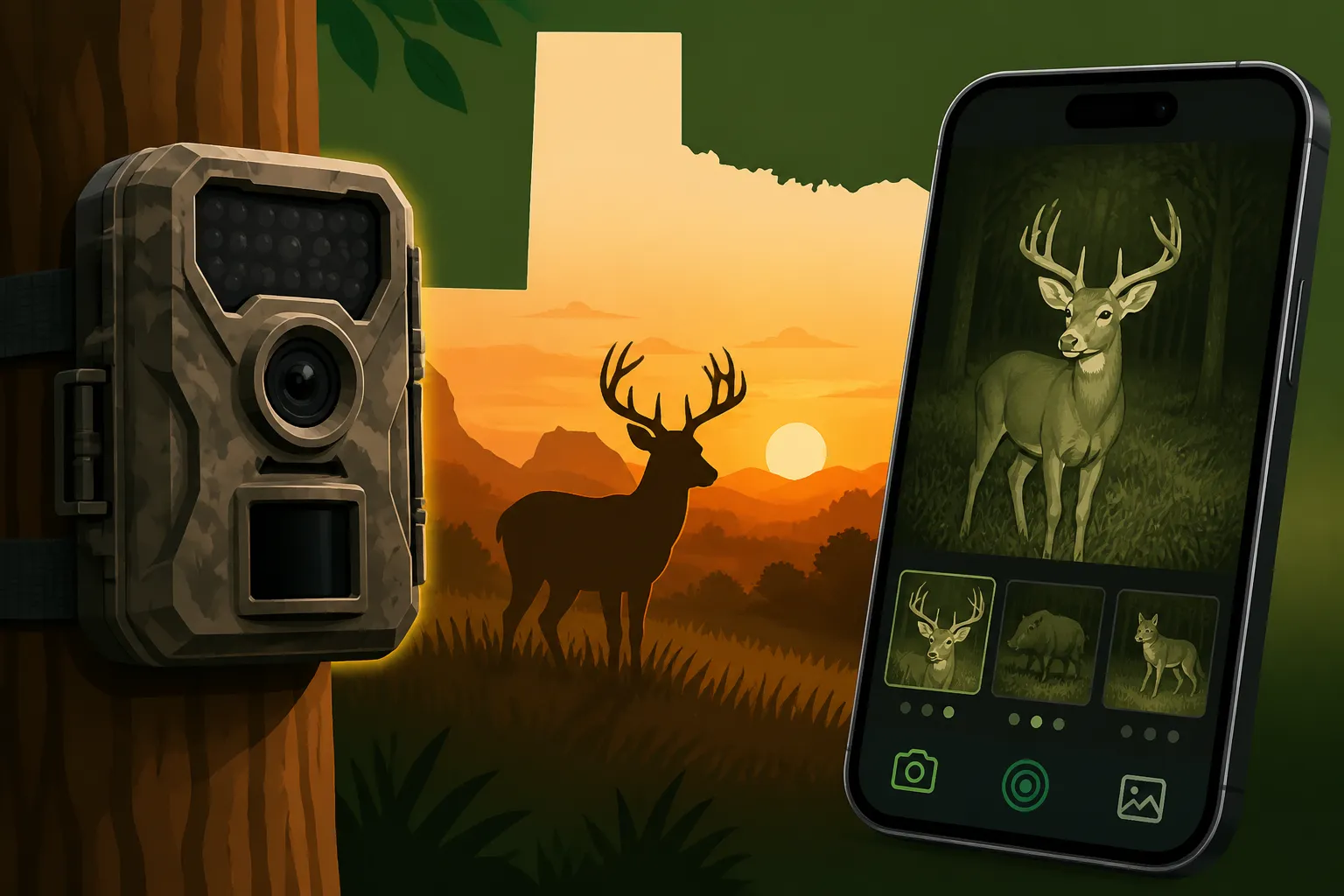
Gone are the days when pulling an SD card and sifting through grainy images on a laptop was the pinnacle of trail camera technology. Modern cellular trail cameras, paired with powerful smartphone applications, have transformed how we scout, offering real-time intelligence and sophisticated data management right in the palm of your hand. For Texas hunters, dealing with vast acreages, unpredictable weather, and the sheer number of game animals means efficiency and timely information are paramount. A robust app allows you to monitor your lease from afar, track game movement, and make informed decisions without disturbing your hunting grounds.
Think about it: you’re trying to understand patterns for a big South Texas buck, or you’re figuring out the best time to hunt feral hogs at night. Having an app that immediately alerts you to activity, sorts through images, and even overlays data on a map can mean the difference between a successful hunt and a missed opportunity. It’s not just about convenience; it’s about gaining a competitive edge and maximizing your precious time. Whether you're trying to figure out the best time of day to hunt whitetail in Texas or keep tabs on your feeders, a solid app is indispensable.
Beyond Basic Photo Viewing
A truly effective trail camera app does much more than just display pictures. It acts as a central hub for your scouting efforts, providing tools that help you analyze patterns, understand environmental factors, and even control your cameras remotely. Imagine being able to see exactly where a specific deer was captured on a topographic map, or getting an alert when a hog sounder appears at your feeder. These capabilities empower you to adapt your strategies in real-time, whether it's adjusting your hunting blind setup or timing your arrival for peak activity.
Many apps now integrate weather data, moon phases, and even solunar tables directly into your photo feed, allowing you to correlate animal movement with environmental conditions. This level of detail helps you refine your understanding of game behavior. For instance, you might notice that deer activity spikes after a cold front or that hogs are most active on cloudy nights. This kind of sophisticated analysis moves beyond simple observation and into strategic planning, helping you anticipate game movement and choose the best time to hunt feral hog in Texas.
The Benefits of Remote Management
One of the biggest advantages of cellular trail cameras and their accompanying apps is the ability to manage your cameras remotely. This is particularly valuable in Texas, where hunting properties can be expansive and access can be challenging. Instead of trekking out to a remote camera site just to change a setting or check the battery, you can do it all from your phone.
This remote capability minimizes human scent and disturbance in critical hunting areas. Imagine the frustration of spooking a mature buck because you had to walk in to check an SD card. With a good app, you can change detection sensitivity, adjust photo burst settings, or even switch to video mode, all without ever setting foot near your setup. This is a huge advantage for hunters who want to avoid pressuring game, especially when learning how to pattern bucks with trail cameras. It also allows you to keep an eye on your property, especially when using a Best Trail Camera for Lease Monitoring to deter trespassers.
Top-Tier Trail Camera Apps for Texas Hunters
When it comes to picking the best trail camera app, it's really about finding one that seamlessly integrates with your specific cellular trail cameras and offers a user experience tailored to your hunting style. Most major cellular camera brands have their own dedicated apps, and some third-party options offer broader compatibility.
Brand-Specific Apps: Reliability and Integration
The most reliable experience often comes from using the app developed by your camera's manufacturer. These apps are designed to work perfectly with their hardware, offering the fullest range of features and the most stable performance.
- Moultrie Mobile App: This app is often praised for its user-friendly interface and robust feature set, especially when paired with cameras like the Moultrie Edge. It provides excellent image quality, easy filtering, and detailed activity tracking. You can organize photos by species, date, and time, and even map camera locations. The app also offers weather data and allows for remote camera settings adjustments, which is crucial for optimizing your setup without being in the field. When comparing specific models, many hunters look at the Moultrie Edge Trail Camera Review as a testament to its effectiveness.
- Tactacam Reveal App: Popular for its simplicity and quick image delivery, the Tactacam Reveal app is a favorite among many Texas hunters. It's known for being straightforward to set up and use, making it a great option for those who want to get straight to scouting without a steep learning curve. The app allows you to view images and videos, monitor battery life and signal strength, and adjust basic camera settings. Its reputation for reliability in getting images quickly is a significant plus. For those considering this brand, articles like Tactacam Reveal vs Moultrie Edge Trail Camera Review provide excellent comparative insights.
- SPYPOINT App: The SPYPOINT app offers a wide range of features, including a customizable home screen, advanced photo sorting, and comprehensive mapping. It provides detailed weather information and moon phase data, helping you correlate game movement with environmental factors. SPYPOINT cameras, like the SPYPOINT Flex Trail Camera Review, are also known for their innovative photo transmission plans and reliable network coverage.
- Browning Trail Camera App: While Browning is a well-respected name in trail cameras, their app experience can sometimes vary. However, newer models and updated apps are continually improving. Browning apps typically offer reliable image viewing, battery monitoring, and some remote control features.
Many discussions compare different brands, like SPYPOINT vs Tactacam Reveal Trail Cameras, highlighting the strengths of their respective apps. Ultimately, the best app often comes down to which brand's ecosystem you've invested in.
Third-Party Apps and Mapping Integrations
While most hunters stick with manufacturer-specific apps, some third-party mapping platforms have begun to integrate trail camera functionality or offer superior tools for data analysis. For instance, while not a dedicated trail camera app in the traditional sense, platforms like GoHunt offer incredible mapping and land management tools that perfectly complement your trail camera data. You can mark your camera locations, track game sightings, and overlay property lines and topographical features, turning your raw trail camera data into a comprehensive scouting report.
Similarly, apps like onX Hunt and HuntStand, which are primarily mapping and land navigation tools, can be used to mark your camera locations and analyze patterns in conjunction with the data from your camera's native app. You might pull images from your Tactacam app, then go to your onX Hunt map to see the exact terrain features or food plots where those animals were sighted. This integrated approach, using the native app for camera control and a mapping app for broader analysis, can be incredibly powerful. Many hunters compare onX Hunt vs HuntStand Hunting App to find the best mapping solution for their needs.
Essential Features Every Hunter Needs in a Trail Camera App
Not all trail camera apps are created equal. When evaluating options for your Texas hunting strategy, look for a suite of features that go beyond simply showing you a picture. These capabilities will help you gain deeper insights and maximize your time and effort.
Intuitive Interface and Photo Management
Let's face it, nobody wants to fumble through a complicated app when you're trying to quickly check on activity. A good trail camera app should be easy to navigate, with clear icons and a logical layout. More importantly, it needs robust photo and video management tools.
- Filtering and Sorting: Imagine having thousands of photos. Can you quickly filter by date, time, moon phase, or even species (if the app has AI tagging)? The ability to sort by most recent, most active camera, or specific tags is invaluable. You should be able to instantly pull up all photos of mature bucks from the last week or all hog pictures from a specific feeder.
- Bulk Actions: Select multiple photos to delete, share, or download at once. This saves a tremendous amount of time, especially after a period of high activity.
- High-Resolution Previews: While cellular cameras often send lower-res thumbnails to save data, the app should allow you to request high-resolution versions of specific images or videos when you need a closer look at antler size or unique markings.
Real-Time Alerts and Notifications
The thrill of getting a notification on your phone that a deer just walked past your camera is hard to beat. Real-time alerts are a core feature of any cellular trail camera app worth its salt.
- Instant Notifications: Get push notifications directly to your phone the moment a new photo or video is captured. This allows you to react quickly, whether it’s adjusting your hunt plan for that afternoon or simply staying engaged with the activity on your property.
- Customizable Alerts: The best apps allow you to customize when and how you receive alerts. Maybe you only want notifications during daylight hours, or only from specific cameras. This helps prevent "alert fatigue" and ensures you're only getting the most relevant information.
Mapping Integration
Understanding where game animals are moving is just as important as knowing that they are moving. Mapping integration within a trail camera app, or via a complementary mapping platform, is a critical feature.
- Camera Location Tracking: See the exact placement of all your cameras on an interactive map. This helps you visualize your camera network and identify gaps in coverage.
- Photo Geotagging: Ideally, each photo should be geotagged, showing precisely where it was taken on the map. This is powerful for identifying travel corridors, bedding areas, and feeding zones. A good example is seeing a buck consistently using a specific pinch point between two dense thickets – information you can then use to set up a blind.
- Layer Overlays: Some advanced apps or integrated platforms, like those offered by GoHunt, allow you to overlay property lines, topographical maps, and satellite imagery, giving you a comprehensive view of your hunting area in relation to game activity.
| Feature | Description | Why it matters for Texas Hunters |
|---|---|---|
| Real-time Alerts | Instant push notifications when motion is detected. | Immediate intelligence for adapting hunt plans, especially on large, remote leases. |
| Photo/Video Mgmt. | Filters, sorting, bulk actions, high-res downloads. | Efficiently sifting through thousands of images to find key game patterns and save time. |
| Mapping Overlay | View camera locations and photo spots on a topographical or satellite map. | Understand game movement in relation to terrain, water, and cover, crucial for vast Texas landscapes. |
| Remote Control | Change camera settings (mode, sensitivity, frequency) from your phone. | Minimize disturbance to game animals and save trips to remote camera sites. |
| Battery/Signal Mon. | Real-time status updates on camera power and cellular reception. | Ensures cameras are always operational and transmitting, avoiding missed intel in critical periods. |
| Weather & Solunar | Integrated data on temperature, moon phase, barometric pressure. | Correlate game activity with environmental factors to predict movement patterns. |
| AI Species Tagging | Automatically identifies and categorizes animals in photos. | Speeds up analysis, especially for high-volume cameras, letting you focus on target species. |
Remote Control and Camera Health Monitoring
Being able to control your cameras without physically visiting them is a huge time and effort saver, and it minimizes human presence, which is vital for success.
- Settings Adjustment: Change capture modes (photo, video, hybrid), detection sensitivity, picture delay, and burst mode settings directly from your phone. This means you can fine-tune your camera's performance based on current conditions or recent activity without disturbing the area.
- Battery and Signal Monitoring: Crucial for cellular cameras. The app should clearly display the battery level and cellular signal strength for each camera. This allows you to preemptively swap batteries or reposition cameras for better reception, ensuring you don't miss any critical scouting time. If you're constantly troubleshooting, check out our guide on Best Cellular Trail Camera Data Plans Compared to ensure your connectivity is optimal.
Integrated Weather and Solunar Data
Game movement is heavily influenced by environmental factors. The best apps seamlessly integrate this data into your photo analysis.
- Local Weather: Displaying current and historical weather conditions (temperature, wind, precipitation) alongside your images helps you understand why animals were moving at certain times.
- Moon Phase and Solunar Tables: Many hunters swear by solunar theories. An app that integrates moon phases and predicted peak activity times can offer another layer of insight into animal behavior. Observing how game reacts to a full moon or a significant barometric pressure drop can inform your future hunt planning.
Maximizing Your Trail Camera App for Smarter Texas Hunting
Having a powerful trail camera app is only half the battle; knowing how to leverage its features effectively is what truly makes a difference. From strategic camera placement to disciplined data analysis, a few key practices can elevate your scouting game.
Strategic Camera Placement and Network Planning
Your app can help you visualize your camera network, but the initial placement still dictates the quality of data you receive. Think about putting cameras in areas that capture key information, not just random spots.
- Pinch Points and Funnels: These natural terrain features concentrate animal movement, making them prime spots for cameras. Your app can help you review photos from these areas to identify consistent travel routes.
- Food and Water Sources: Place cameras near feeders, watering holes, or natural food plots. For those running feeders, understanding the best deer feeder setup for Texas is crucial. The app will then show you peak times for feeding and drinking, which are often excellent times to hunt.
- Bedding Areas (with caution): While direct placement in bedding areas can be too intrusive, cameras on the edges can reveal patterns as animals move to and from these secure spots.
- Mapping Your Network: Use the mapping feature within your app (or a complementary one like GoHunt) to mark all your camera locations. This visual representation helps you see coverage gaps and understand the flow of movement across your property.
For specific species, understanding how to optimize placement can yield much better results. For instance, if you're targeting hogs, learning the Best Setup for Hunting Hogs Over a Feeder combined with app monitoring can be incredibly effective.
Data Analysis and Pattern Recognition
The true power of your app comes from analyzing the data it collects. Don't just scroll through pictures; look for patterns and connections.
- Time-Lapse and Activity Graphs: Many apps offer time-lapse views or generate activity graphs that visually represent game movement throughout the day or across a week. Look for spikes in activity around dawn or dusk, or specific times when target animals consistently appear.
- Correlate with Environmental Factors: Use the integrated weather and moon phase data to see how different conditions impact game movement. Did that big buck only show up after a specific temperature drop? Were the hogs more active on cloudy nights? This kind of correlation is invaluable for predicting future activity.
- Identify Trends, Not Just Events: One picture of a deer is an event. Multiple pictures of the same deer at similar times and locations, especially across different cameras, reveal a trend. Your app's ability to filter and sort makes this trend spotting much easier. For instance, when learning how to scout for deer before season in Texas, identifying a consistent travel pattern is more valuable than a single sighting.
Integrating Your App with Broader Scouting Strategies
Your trail camera app should be a tool within a larger scouting strategy, not a standalone solution. It complements boots-on-the-ground scouting, topographical maps, and even historical harvest data.
- Pre-Season Intelligence: Use your app to scout before the season even begins. Get a feel for what animals are on your property, where they're moving, and when. This is key for developing effective strategies for Texas Deer Season 2026-2027: Dates by Zone.
- In-Season Adjustments: During hunting season, the app provides real-time feedback. If a cold front moves in, check your cameras near food sources. If activity slows in one area, the app might show increased movement elsewhere, prompting you to relocate your stand or blind.
- Long-Term Planning: Over time, the data collected through your app can help you identify long-term patterns for your property. This knowledge is crucial for making decisions about food plots, feeder placement, and even future lease renewals. It’s also invaluable when considering how to Pattern Hogs on Your Lease over multiple seasons.
By mastering your trail camera app, you're not just getting pictures; you're gaining a deeper, more nuanced understanding of the wild animals you pursue, making you a more effective and informed Texas hunter.
Disclaimer
The information provided in this guide is for general informational purposes only. Hunting regulations, seasons, and licensing requirements in Texas can change. Always consult the most current Texas Parks and Wildlife Department (TPWD) Outdoor Annual or their official website before engaging in any hunting activities. Adherence to all local, state, and federal laws is the responsibility of the hunter.